When your Facebook ads are not optimizing properly, the instinct is to blame the algorithm. But in most cases, the real issue lives upstream: poor conversion signal quality, misaligned campaign objectives, or data gaps that leave Meta's machine learning without enough information to do its job.
This guide is built for B2B SaaS marketers and growth teams who are running paid campaigns on Meta and watching their cost per lead climb, their delivery stall, or their results plateau without a clear explanation. The fixes here go deeper than creative refreshes or budget adjustments. They address the data infrastructure and attribution setup that determines whether Meta's algorithm can actually learn from your results.
If you are running ads without a reliable way to track what happens after a lead enters your funnel, you are essentially asking the algorithm to optimize blind. That is where most B2B SaaS teams lose ground, and it is exactly what this guide will help you correct.
Each step builds on the last, so work through them in order rather than jumping to the section that feels most familiar. By the end, you will know how to audit your conversion data quality, align your campaign structure with Meta's learning phase requirements, improve the signal you are sending back to the platform, and build a measurement foundation that supports ongoing optimization.
Step 1: Diagnose Why Your Ads Are Stuck
Before you change anything, you need to know exactly what is broken. Jumping straight to fixes without a proper diagnosis is how teams waste weeks testing creative changes when the real problem is a misfiring pixel or a campaign stuck in learning limbo.
Start inside Ads Manager by checking the delivery status column for each of your ad sets. You are looking for three specific flags: "Learning," "Learning Limited," or any low delivery indicator. These statuses tell you that Meta's algorithm does not yet have enough data to optimize effectively, and they should be your first stop before assuming that targeting or creative is the problem. Understanding delivery status in Ads Manager is essential before making any campaign changes.
Check Delivery Insights: Click into the Delivery Insights tab for each ad set. This view surfaces the specific constraints limiting your delivery, whether that is audience overlap, budget limitations, or insufficient conversion volume. It gives you a structured starting point rather than guessing.
Review conversion event frequency: Meta's algorithm needs roughly 50 optimization events per ad set per week to fully exit the learning phase. This is a published Meta requirement. If your ad sets are generating far fewer conversions than that threshold, they will remain in learning mode indefinitely and will not optimize effectively. Count your weekly conversions per ad set and compare them against this benchmark.
Audit your attribution window settings: Check which attribution window Meta is using to count conversions for your campaigns. If your window is set to 1-day click but your B2B buyers typically take several days to convert after clicking an ad, you are training the algorithm on an incomplete picture of your actual results.
Flag these diagnostic signals: Cost per result trending upward week over week is a sign the algorithm is struggling to find efficient buyers. Reach declining despite a stable budget suggests audience exhaustion or delivery constraints. Frequency rising without new conversions means the same people are seeing your ads repeatedly without taking action. Reviewing your Facebook ads performance metrics systematically will surface these patterns faster than manual observation.
Work through each of these checks systematically before moving on. The goal of this step is simple: you should be able to clearly name the specific reason your campaigns are underperforming before you touch a single setting. That clarity is what makes every subsequent fix targeted rather than speculative.
Step 2: Fix Your Conversion Event Setup
Once you know what is broken at a high level, the next place to look is your conversion event configuration. A surprising number of Facebook optimization problems trace back to events that are misfiring, duplicated, or simply pointed at the wrong funnel stage.
Open the Meta Pixel Helper browser extension and visit each of your key conversion pages. The extension will show you in real time which events are firing, what data they are passing, and whether there are any errors. Then cross-reference what you see with Events Manager to confirm that the events are being received cleanly on Meta's side. A thorough approach to Facebook conversion tracking at this stage will prevent compounding issues later in your optimization workflow.
Confirm your optimization event matches your actual goal: For B2B SaaS, your optimization event should reflect a meaningful business action, typically a lead form submission, demo request, or free trial signup. If you are optimizing for page views or generic website traffic because your conversion volume is low, you are training the algorithm to find people who browse rather than people who buy. That misalignment compounds over time.
Check for duplicate event firing: Duplicate events inflate your conversion counts and corrupt the signal Meta uses to train its delivery algorithm. Common causes include multiple pixel snippets on the same page, tag manager configurations that fire the same event twice, or both a page-level pixel and an event-level pixel firing simultaneously. Events Manager will often flag deduplication warnings when this is happening.
Map events to the right funnel stage: Optimizing for a top-of-funnel event when your actual goal is a demo booking creates a structural misalignment that prevents proper optimization. The algorithm will get very good at finding people who complete the event you are tracking, so make sure that event is as close to your real business goal as your conversion volume allows.
Sync offline conversion events: If you are using a CRM or marketing automation platform, confirm that offline conversion events are being uploaded or synced back to Meta. When a lead books a call or moves to a qualified stage in your CRM, that signal is valuable. Without it, Meta only sees the top of your funnel and has no way to distinguish a lead who became a customer from one who never responded. Learning how to sync conversion data to Facebook ads from your CRM is one of the highest-leverage improvements you can make at this stage.
The success indicator for this step is straightforward: Events Manager should show clean, deduplicated conversion data with no warnings or gaps in the last seven days. If you see warnings, resolve them before moving on.
Step 3: Implement Server-Side Tracking with the Conversions API
Even if your pixel is set up correctly, browser-based tracking alone is no longer a reliable foundation for optimization. Ad blockers, iOS privacy restrictions, and browser-level data limitations regularly suppress a meaningful portion of conversion events depending on your audience. Meta itself has acknowledged this in its developer documentation and recommends the Conversions API as the solution.
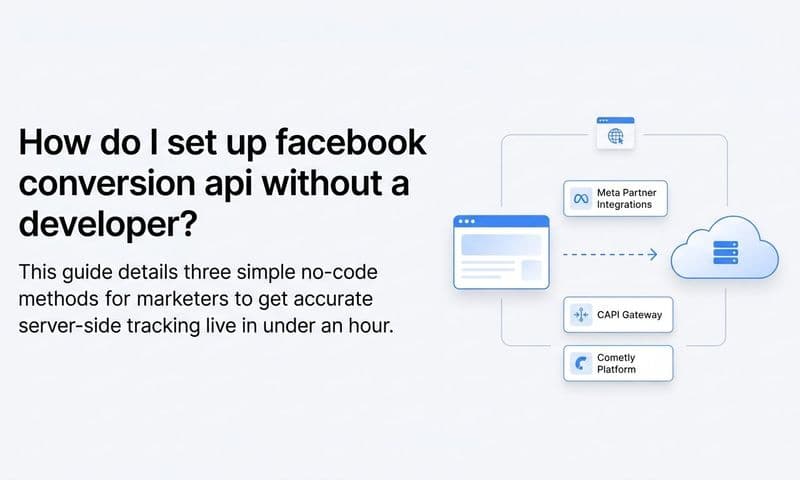
The Conversions API, often called CAPI, sends conversion events directly from your server to Meta rather than relying on a browser to pass that data. This means the signal reaches Meta regardless of whether a user has an ad blocker installed, has opted out of tracking on iOS, or is using a privacy-focused browser. Understanding how tracking Facebook ads through server-side methods differs from pixel-only setups is critical for building a reliable data foundation.
Set up CAPI alongside your pixel: The recommended approach is to run both the browser pixel and CAPI simultaneously. This gives you redundancy: if the pixel fires, CAPI fires too, and Meta deduplicates the events on its end. To enable deduplication, you must pass a consistent event_id parameter with every event. This unique identifier tells Meta when two events represent the same conversion rather than two separate ones.
Send CRM-based events through CAPI: For B2B SaaS teams, this is where server-side tracking becomes particularly powerful. When a lead progresses to a sales-qualified status or closes as a customer in your CRM, you can send that event back to Meta through CAPI. This teaches the algorithm what a high-quality lead actually looks like for your business, not just what a form submission looks like.
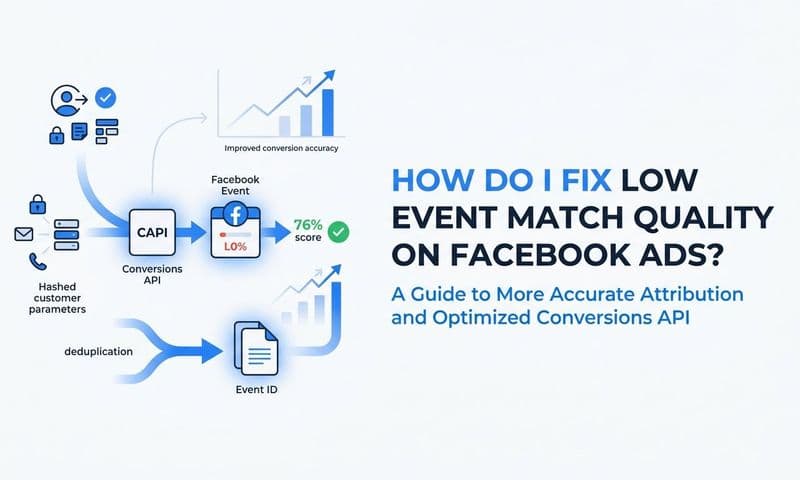
Check your Event Match Quality score: In Events Manager, Meta provides an Event Match Quality (EMQ) score for each event, rated from 0 to 10. Higher scores indicate that Meta can more accurately match your conversion events to real user profiles in its system. A higher EMQ score directly improves Meta's ability to optimize delivery toward the right people. Reviewing the full breakdown of Facebook Event Match Quality will help you understand exactly which data fields drive score improvements.
Enrich your events with first-party data: To improve your EMQ score, pass hashed customer data alongside your conversion events. Hashed email addresses, phone numbers, and names significantly increase the accuracy of event matching. Meta's CAPI documentation details the exact parameters to include and how to hash them correctly before sending.
The goal for this step is an EMQ score above 6 out of 10 and CAPI events showing a high match rate with low duplication. If your score is below that threshold, the first place to look is the customer data fields you are passing with each event.
Step 4: Restructure Your Campaign for the Learning Phase
With clean conversion data flowing in from both your pixel and CAPI, the next problem to address is campaign structure. Even with perfect tracking, a poorly structured campaign will keep Meta's algorithm in a permanent state of learning and prevent it from optimizing effectively.
The most common structural mistake in B2B SaaS campaigns is spreading budget across too many ad sets. If you have ten ad sets each generating five conversions per week, none of them will reach the 50-event threshold needed to exit the learning phase. The algorithm is essentially starting over in each ad set rather than building on accumulated learning. A deeper look at Facebook ads optimization principles will reinforce why consolidation is so central to escaping this cycle.
Consolidate your ad sets: Combine audiences and reduce the number of active ad sets to concentrate your conversion volume. Fewer ad sets with more conversions each will outperform many ad sets with thin conversion data. Meta's own campaign structure guidance recommends this approach specifically to help campaigns exit learning faster.
Use Advantage Campaign Budget: Formerly known as CBO, Advantage Campaign Budget lets Meta distribute your total budget across ad sets in real time based on performance signals. Rather than manually capping each ad set, you set a campaign-level budget and let the algorithm allocate spend where it is finding the most efficient conversions. This is particularly useful when you are consolidating ad sets and want Meta to have flexibility to optimize allocation.
Avoid frequent edits to active ad sets: Every significant change to an active ad set resets the learning phase. That means your campaign is constantly starting over instead of building cumulative optimization data. Changes that trigger a reset include budget increases above roughly 20 percent, audience modifications, changes to your optimization event, bid strategy adjustments, and creative swaps. Plan your changes in batches and time them intentionally.
Consider upper-funnel optimization for low-volume campaigns: If your B2B SaaS product has a long sales cycle and limited weekly conversion volume, you may need to temporarily optimize for an earlier funnel event, such as a content download or landing page view, to generate enough signal for the algorithm to work with. As volume increases, you can shift your optimization event closer to your actual business goal. Exploring how machine learning for ads uses accumulated event data will clarify why patience during this phase pays dividends later.
Allow at least 7 to 14 days after any structural change before evaluating performance. The success indicator here is active ad sets without the "Learning Limited" flag and consistent weekly conversion volume building toward that 50-event threshold.
Step 5: Align Attribution Models with Your Actual Sales Cycle
Here is a challenge that is specific to B2B SaaS and often overlooked: Meta's default attribution window may not reflect how your buyers actually convert. The default setting reports conversions within a 7-day click and 1-day view window. For enterprise software with sales cycles that stretch over weeks or months, that window captures only a fraction of the actual conversion journey.
This creates a distorted view of performance inside Ads Manager. Campaigns that are genuinely influencing pipeline may look underperforming because the conversions they are contributing to fall outside the attribution window Meta is using to evaluate them. Understanding Facebook ads attribution in depth is essential for interpreting these gaps accurately.
Compare attribution windows inside Ads Manager: Use the attribution window comparison feature to see how your reported conversions change across different windows. The gap between what Meta reports and what your CRM shows as the actual source often reveals how much conversion credit is being missed by the default settings.
Use a multi-touch attribution platform: Rather than relying on Meta's single-platform view, a multi-touch attribution tool gives you visibility into the full customer journey across channels. This matters because B2B buyers rarely convert through a single touchpoint. They might see a Facebook ad, then search for your brand, then click a Google ad, then convert through an email. Each of those touchpoints contributed to the outcome, but single-channel attribution will credit only one of them.
Identify touchpoint overlap: Without cross-channel attribution, you may incorrectly cut Facebook spend that is actually influencing pipeline at the top of the funnel. Many B2B buyers interact with multiple channels before converting. Understanding where Facebook fits in that journey, rather than whether it was the last click, gives you a more accurate picture of its contribution. Reviewing how different attribution models affect ad campaign optimization will help you choose the right framework for your sales cycle.
Connect ad data to CRM and revenue data: The most important shift you can make in this step is moving from optimizing toward Meta-visible conversions to optimizing toward pipeline and closed revenue. That requires connecting your ad platform data to your CRM so you can see which Facebook campaigns are generating not just leads, but qualified opportunities and actual customers.
The success indicator for this step is clear visibility into the full customer journey from first Facebook ad impression through to closed revenue, with data that shows which campaigns contribute to pipeline rather than just form fills.
Step 6: Feed Better Data Back to Meta to Improve Future Optimization
Getting your tracking and attribution right is not just about measuring performance accurately. It is about creating a feedback loop that makes Meta's algorithm smarter over time. The quality of the signal you send back to Meta directly determines the quality of the audiences it finds for you going forward.
Most B2B SaaS teams stop at sending lead form submission events back to Meta. That is a start, but it gives the algorithm very limited information about what a good lead actually looks like. A form fill from someone who never responds to sales looks identical to one from someone who becomes a six-figure customer. Without downstream signals, Meta cannot tell the difference. Building a system to track sales leads through their full lifecycle is what separates teams that improve over time from those that plateau.
Send CRM stage events through CAPI: Move beyond surface-level conversions and start passing downstream signals back to Meta. When a lead becomes a marketing-qualified lead, a sales-qualified lead, or a closed-won customer in your CRM, send that event through CAPI. Each signal teaches the algorithm to find more people who resemble your actual buyers, not just people who fill out forms.
Use custom conversions tied to CRM stages: Create custom conversions in Meta that correspond to meaningful stages in your sales funnel. This allows you to optimize ad sets toward events that correlate with revenue rather than events that simply indicate interest.
Implement value-based optimization: If your product has multiple pricing tiers or deal sizes vary significantly, consider passing deal value or plan type back to Meta through CAPI. Value-based bidding allows the algorithm to prioritize higher-value prospects rather than simply maximizing conversion volume. This is a published Meta feature that is underused in most B2B campaigns.
Audit your signal strategy regularly: As your funnel evolves, your signal strategy should evolve with it. Review which conversion events you are sending on a quarterly basis and confirm they still reflect your current business goals. A signal setup that made sense when you were optimizing for free trials may need updating if your primary motion has shifted to demo requests or product-led growth events.
The success indicator here is that Meta's algorithm is optimizing toward conversion events that correlate with actual revenue. If your highest-converting ad sets are producing leads that rarely close, the signal you are sending is misaligned with your business goals.
Step 7: Build a Measurement System That Sustains Optimization
All of the fixes in the previous steps will degrade over time without a measurement system that keeps you informed. Tracking setups break as websites change. CRM integrations drift. Attribution windows get reset. Without a structured reporting and audit process, you will find yourself diagnosing the same problems repeatedly.
The foundation of a sustainable measurement system is a single reporting view that connects Facebook ad spend to pipeline and revenue, not just cost per lead. Cost per lead is a useful metric, but it tells you nothing about whether the leads are any good. For B2B SaaS, the metrics that actually matter are cost per marketing-qualified lead, cost per sales-qualified lead, cost per opportunity, pipeline generated, and revenue attributed to Facebook campaigns. A dedicated Facebook ads reporting dashboard that surfaces these revenue-level metrics is the infrastructure that makes sustained optimization possible.
Set up regular attribution audits: On a monthly basis, compare what Meta Ads Manager reports against what your CRM and attribution platform show. Discrepancies between these sources often reveal tracking gaps, misconfigured events, or misattributed conversions that are quietly corrupting your optimization data. Catching these early prevents them from compounding into larger problems. Understanding common Facebook ads reporting discrepancies will help you interpret these gaps and resolve them faster.
Compare attribution models intentionally: Use a marketing attribution platform to compare how different models, such as first touch, last touch, linear, and data-driven, distribute credit across your channels. No single model is universally correct. The right choice depends on how your buyers actually make decisions and how long your sales cycle is. Understanding the differences helps you make budget decisions with more confidence.
Establish performance benchmarks: Without benchmarks specific to your audience and funnel stage, it is difficult to identify when optimization is breaking down versus when performance is within normal variance. Set baseline metrics for cost per lead, cost per SQL, and pipeline contribution, then use those benchmarks to flag anomalies early.
Review your data infrastructure quarterly: Schedule a quarterly review of your full tracking setup, including pixel health, CAPI event quality, CRM integration status, and attribution model configuration. Platforms change, privacy regulations evolve, and your own website and CRM will be updated in ways that can silently break your tracking. Proactive reviews catch these issues before they affect your ad performance.
The success indicator for this step is a live dashboard showing Facebook ad performance from click to closed revenue, with enough data clarity to make confident budget and optimization decisions without second-guessing whether your numbers are accurate.
Putting It All Together
Fixing Facebook ads that are not optimizing properly is not a one-step process. It requires working through your conversion setup, your server-side tracking, your campaign structure, your attribution model, and your measurement infrastructure in sequence. Each layer depends on the one before it.
Use this checklist to confirm you have covered each step. Your conversion events are firing cleanly and without duplication. Your Conversions API is active and showing a strong Event Match Quality score. Your ad sets are structured to generate enough weekly conversions to exit the learning phase. You are not making frequent edits that reset learning. Your attribution window reflects your actual sales cycle. You are sending downstream CRM signals back to Meta to improve optimization quality. And you have a reporting system that connects ad spend to pipeline and revenue.
When all of these pieces are in place, Meta's algorithm has what it needs to find the right buyers at the right cost. The teams that consistently get strong results from Facebook ads are not the ones with the best creative. They are the ones with the best data infrastructure underneath their campaigns.
Cometly is built to help B2B SaaS teams close this loop between their ad platforms and their revenue data. By connecting your Facebook campaigns, CRM, and website into a single attribution view, Cometly gives you the data clarity needed to optimize with confidence and scale what is actually working. Ready to see exactly which ads are driving pipeline and revenue? Get your free demo today and start capturing every touchpoint to maximize your conversions.