
Marketing data hygiene is the foundation of every reliable attribution model, ad optimization decision, and revenue forecast your team makes. When your data is clean, your entire marketing engine runs better. When it is not, every insight you draw from it is suspect.
For B2B SaaS companies running paid campaigns across multiple channels, dirty data is not just an inconvenience. It is a direct threat to budget efficiency and revenue growth. Duplicate records inflate conversion counts. Inconsistent UTM parameters break campaign attribution. Unvalidated form submissions pollute your lead pipeline with noise. The result is a marketing team making expensive decisions based on a distorted picture of reality.
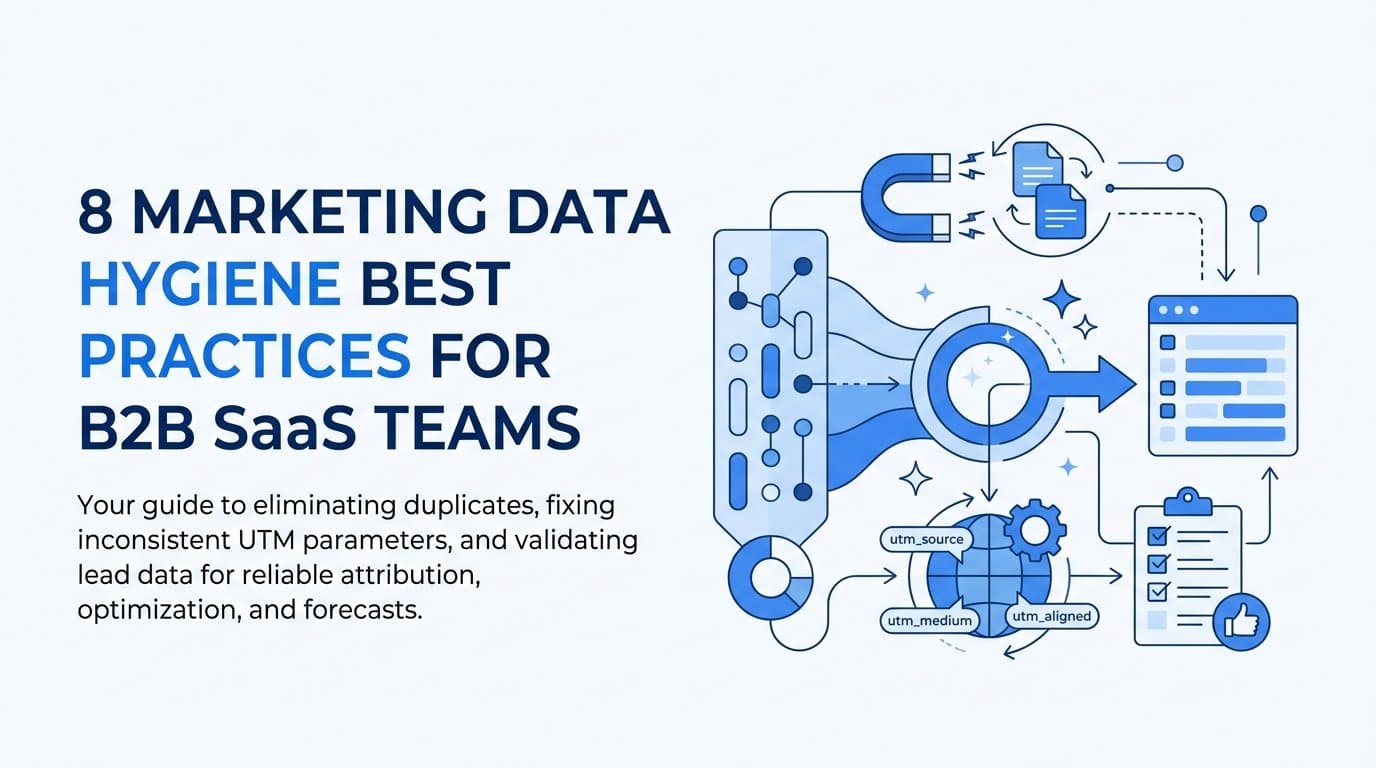
This guide covers eight actionable marketing data hygiene best practices designed specifically for B2B SaaS marketing teams. Each practice addresses a specific data quality problem that quietly erodes attribution accuracy, ad performance, and ROI tracking. Whether you are managing a small in-house team or overseeing a multi-channel growth operation, these strategies will help you build a data foundation you can actually trust.
By the end, you will know exactly where to start, what to fix first, and how tools like Cometly can help you maintain clean, accurate marketing data across every touchpoint in your customer journey.
1. Standardize UTM Naming Conventions Across Every Campaign
The Challenge It Solves
Inconsistent UTM parameters are one of the most common causes of attribution breakdown in multi-channel marketing. When team members use different naming formats for the same campaign, such as "facebook," "Facebook," and "FB," analytics platforms treat these as entirely separate traffic sources. Attribution fragments, channel performance becomes impossible to compare, and your reports become unreliable by default.
The Strategy Explained
The fix is straightforward but requires discipline: build a shared UTM naming framework and make it the only acceptable format for your team. This means defining exact values for utm_source, utm_medium, utm_campaign, utm_content, and utm_term, then documenting those definitions in a place everyone can access.
Tools like Google's Campaign URL Builder are a good starting point, but most teams benefit from a custom internal spreadsheet or a URL builder template that enforces your specific naming rules. The key is removing ambiguity. When there is only one correct way to tag a LinkedIn paid campaign, there is no room for drift.
Implementation Steps
1. Audit your existing UTM parameters across all active campaigns and identify every variation being used for the same source or medium.
2. Create a master UTM taxonomy document that defines accepted values for each parameter, with examples for every major channel your team uses.
3. Build or adopt a URL builder tool that pulls from your approved taxonomy, and make it the required method for generating campaign links going forward.
4. Set up a recurring review process to catch any new variations that slip through, and correct them before they accumulate in your historical data.
Pro Tips
Use lowercase consistently across all UTM values. Analytics platforms are case-sensitive, so "LinkedIn" and "linkedin" will appear as two separate sources. Also, avoid using spaces in UTM parameters. Replace them with hyphens to prevent encoding issues that can corrupt your tracking links entirely.
2. Audit and Deduplicate Conversion Events Regularly
The Challenge It Solves
When both a browser pixel and a server-side Conversion API event fire for the same user action, ad platforms can count that conversion twice. This inflates your reported ROAS, misleads campaign optimization algorithms, and causes your team to over-invest in channels that appear to be performing better than they actually are. The problem compounds quietly over time.
The Strategy Explained
Meta's own documentation recommends using event_id parameters to deduplicate events across browser and server sources. The principle is simple: assign a unique identifier to each conversion event and pass that same identifier through both your pixel and your Conversion API. When the platform receives two events with the same event_id, it counts them as one.
This is not just a Meta-specific concern. Any environment where you are running both client-side and server-side tracking simultaneously requires a deduplication strategy. Without it, your conversion data will be inflated and your ad platform optimization will optimize toward a false signal.
Implementation Steps
1. Identify every conversion event you are tracking and map out which ones are firing through both browser pixels and server-side integrations simultaneously.
2. Implement unique event_id generation for each conversion, ensuring the same ID is passed through both tracking methods for the same user action.
3. Verify deduplication is working by reviewing your ad platform's event manager and confirming that duplicate events are being collapsed correctly.
4. Schedule a monthly review of your conversion event volume to catch unexpected spikes that may indicate deduplication has broken after a platform or code update.
Pro Tips
When reviewing conversion counts, compare your ad platform data against your CRM or backend records. A significant gap between reported conversions and actual leads or sign-ups is a strong signal that deduplication is failing somewhere in your pipeline.
3. Implement Server-Side Tracking to Protect Data Accuracy
The Challenge It Solves
Browser-based pixel tracking has faced significant signal loss due to Apple's App Tracking Transparency framework and the widespread use of ad blockers. When your conversion signals are blocked at the browser level, ad platforms receive an incomplete picture of your campaign performance. This weakens optimization, distorts attribution, and causes your campaigns to underperform relative to their actual results.
The Strategy Explained
Server-side tracking sends conversion events directly from your server to ad platforms like Meta and Google, bypassing browser limitations entirely. Meta's Conversion API and Google's Enhanced Conversions were developed specifically to restore this lost signal. Instead of relying on a user's browser to fire a pixel, your server sends the event data directly, making it far more reliable.
For B2B SaaS teams, this is especially important because your conversion events, such as demo requests, trial sign-ups, and form submissions, are high-value actions that directly feed your attribution model. Losing even a fraction of those signals has an outsized impact on your ability to measure and optimize campaigns accurately. Platforms like Cometly support server-side Conversion API integrations that help you recover this signal and send enriched, conversion-ready events back to your ad platforms.
Implementation Steps
1. Audit your current tracking setup to understand what percentage of your conversions are being captured via browser pixels versus server-side methods.
2. Set up Meta's Conversion API and Google's Enhanced Conversions for your highest-value conversion events first, prioritizing demo requests and trial sign-ups.
3. Run both browser and server-side tracking simultaneously during a transition period, using event deduplication to prevent double-counting.
4. Monitor your event match quality scores in Meta's Events Manager and Google's diagnostics to confirm that your server-side events are being matched accurately.
Pro Tips
The more customer data you can pass with each server-side event, such as email, phone number, and first-party identifiers, the higher your event match quality will be. Higher match quality means better audience targeting, stronger optimization signals, and more accurate attribution across your campaigns.
4. Validate and Enrich Lead Data at the Point of Capture
The Challenge It Solves
Form submissions containing invalid email addresses, bot-generated entries, or incomplete records pollute your CRM and distort your lead attribution. When junk leads enter your pipeline, they inflate conversion counts, skew lead quality metrics, and send bad data back to your ad platforms for audience optimization. The further downstream these bad records travel, the more damage they cause.
The Strategy Explained
The most effective place to stop bad data is at the point of entry. Real-time email validation tools check whether a submitted email address is properly formatted, exists on a live mail server, and is not a known disposable address. CAPTCHA implementations filter out bot submissions before they reach your CRM. Together, these two measures eliminate the majority of low-quality lead records before they can corrupt your pipeline.
Enrichment takes this a step further. By appending firmographic data to raw leads at the point of capture, such as company size, industry, and job title, you improve the quality of first-party data available for audience optimization. Richer lead records give your ad platforms more signal to work with when building lookalike audiences or optimizing for high-value conversions.
Implementation Steps
1. Add real-time email validation to every lead capture form on your site, flagging or blocking invalid and disposable email addresses before submission completes.
2. Implement CAPTCHA or similar bot detection on your highest-traffic forms to prevent automated submissions from entering your pipeline.
3. Connect a data enrichment tool to your CRM intake process so that valid leads are automatically enriched with firmographic data before they are assigned to a sales rep.
4. Define minimum data completeness thresholds for leads entering your attribution system, and build logic to flag or quarantine records that fall below those thresholds.
Pro Tips
Review your disqualified lead volume regularly. A sudden spike in bot submissions or invalid emails can indicate that a campaign is driving low-quality traffic, which is itself a signal worth acting on. Clean rejection data is still useful data.
5. Map and Maintain a Single Source of Truth for Marketing Data
The Challenge It Solves
B2B SaaS marketing teams commonly operate across multiple disconnected tools: Google Ads, Meta Ads Manager, a CRM like HubSpot or Salesforce, and Google Analytics. Each platform reports its own numbers using its own attribution logic. The result is a constant stream of conflicting data that makes it nearly impossible to assess true channel performance or make confident budget decisions.
The Strategy Explained
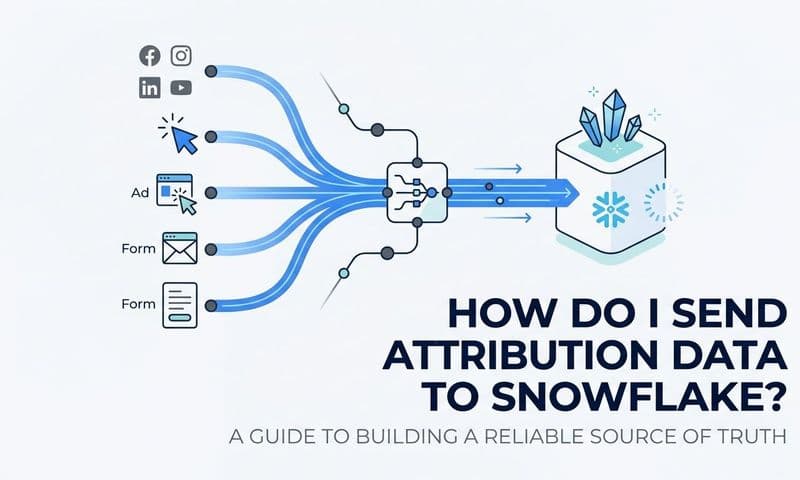
Consolidating your marketing data into a single attribution platform eliminates these discrepancies and gives your team a consistent basis for every decision. Instead of toggling between five dashboards and reconciling conflicting numbers manually, you work from one unified view that connects ad spend, pipeline activity, and revenue outcomes.
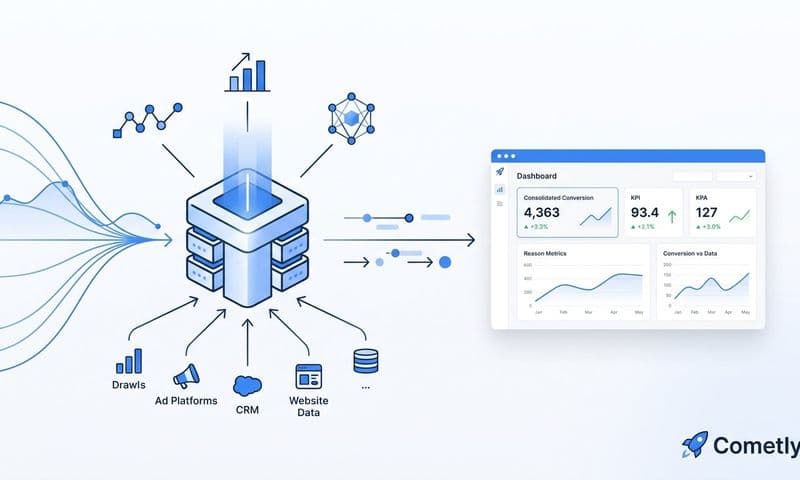
This is the core value proposition of a platform like Cometly, which connects your ad platforms, CRM, and website data into a single attribution system. With over 70 native integrations, Cometly pulls data from every channel into one place, giving you a real-time view of which campaigns are driving leads, pipeline, and closed-won revenue. That single source of truth is what makes every other data hygiene practice more effective.
Implementation Steps
1. Audit every tool in your current marketing stack and document what data each one captures, how it attributes conversions, and where it conflicts with other sources.
2. Choose a primary attribution platform to serve as your single source of truth and connect all major data sources to it through native integrations or API connections.
3. Establish a rule that all campaign performance reviews and budget decisions reference the unified platform first, not individual ad platform dashboards.
4. Communicate this standard to every stakeholder who reviews marketing data, including your sales team and leadership, so everyone is working from the same numbers.
Pro Tips
When discrepancies do appear between your unified platform and individual ad platform reports, treat them as data quality signals worth investigating rather than ignoring. Understanding why numbers differ often reveals a tracking gap or integration issue that is worth fixing.
6. Enforce Consistent Attribution Model Usage Across Your Team
The Challenge It Solves
Different attribution models produce different performance pictures for the same campaigns. First-touch attribution credits the channel that first introduced a lead. Last-click credits the final touchpoint before conversion. Linear distributes credit evenly across all touchpoints. When team members switch between models without discipline or documentation, they draw contradictory conclusions about channel performance and make conflicting recommendations about where to invest.
The Strategy Explained
The solution is not to find the "correct" attribution model. It is to choose a primary model aligned to your business goals, document that choice, and enforce it consistently across all reporting. For B2B SaaS companies with long sales cycles and multiple touchpoints, multi-touch attribution models typically provide a more accurate picture than single-touch models. But the specific model matters less than the consistency with which it is applied.
Document your chosen model in your team's measurement framework, explain why it was selected, and make it the default view in your attribution platform. When stakeholders want to explore alternative models for specific analyses, that is fine, but those explorations should be clearly labeled as supplementary, not authoritative.
Implementation Steps
1. Review your current attribution setup and identify how many different models are being used across your team's regular reporting.
2. Align with leadership on a primary attribution model that reflects how your customers actually make decisions, considering your typical sales cycle length and number of touchpoints.
3. Document the chosen model in a shared measurement framework, including the rationale for the selection and instructions for how to apply it consistently.
4. Configure your attribution platform to display the primary model by default, and train your team on when and how to use alternative models for supplementary analysis.
Pro Tips
Revisit your attribution model choice annually or whenever your sales cycle or channel mix changes significantly. A model that made sense when you were running primarily bottom-of-funnel campaigns may need to evolve as you invest more in awareness and demand generation.
7. Schedule Routine Data Quality Audits Across All Integrations
The Challenge It Solves
Marketing data pipelines break silently. Pixels stop firing after website updates. CRM integrations fail after API changes. UTM parameters get stripped by redirects. Without scheduled audits, these issues go undetected for weeks or months, corrupting historical data and causing your team to make decisions based on incomplete or inaccurate information. By the time someone notices, the damage is already done.
The Strategy Explained
A recurring audit process is the operational backbone of good data hygiene. Rather than waiting for a problem to surface in a report, you proactively check the health of your tracking setup, integrations, and data completeness on a defined schedule. A monthly or bi-weekly audit cadence is a widely recommended starting point for most B2B SaaS marketing teams.
Your audit checklist should cover pixel health across all pages, integration status between your ad platforms and CRM, UTM parameter integrity in recent campaign links, and conversion event volume compared to expected baselines. When something looks off, you investigate immediately rather than letting the issue compound.
Implementation Steps
1. Build a data quality audit checklist that covers every critical component of your tracking setup: pixels, server-side integrations, CRM syncs, UTM parameters, and conversion event volumes.
2. Assign ownership of the audit process to a specific team member or marketing operations role, and block time on the calendar for it to happen consistently.
3. Set up automated alerts where possible, such as notifications when conversion event volume drops below a defined threshold, to catch issues between scheduled audits.
4. Document every issue found during audits, including when it was discovered, what caused it, and how it was resolved, so you can identify recurring patterns over time.
Pro Tips
Always run a data quality audit immediately after any significant website update, CRM migration, or ad platform change. These events are the most common triggers for tracking breakdowns, and catching issues immediately after a change is far easier than diagnosing them weeks later.
8. Align Marketing and Sales Data Definitions Before They Diverge
The Challenge It Solves
Misaligned definitions between marketing and sales teams are a persistent source of data quality problems. When marketing defines a "lead" differently than sales defines an "MQL," attribution models built on those definitions produce misleading results. Conversion rates look inflated or deflated depending on which team's definition is being applied, and full-funnel revenue attribution becomes unreliable because the pipeline stages feeding your model are inconsistently defined.
The Strategy Explained
The solution is a shared data dictionary: a documented, agreed-upon set of definitions for every key term both teams use, from lead stages and qualification criteria to conversion events and revenue attribution inputs. This document should be created collaboratively, with explicit sign-off from both marketing and sales leadership, and treated as a living reference that is updated whenever definitions need to evolve.
Connecting CRM stage data back to ad-level attribution is where this alignment pays its biggest dividends. When your CRM stages are clearly defined and consistently applied, platforms like Cometly can map those stages to specific campaigns and touchpoints, enabling true full-funnel revenue attribution from first ad click to closed-won revenue. Without aligned definitions, that connection breaks down.
Implementation Steps
1. Schedule a joint working session between marketing and sales to audit current definitions for leads, MQLs, SQLs, opportunities, and any other shared pipeline stages.
2. Document agreed-upon definitions in a shared data dictionary that both teams can access and reference, stored in a location that is version-controlled and editable.
3. Map each defined stage to the corresponding data field in your CRM, ensuring that the way stages are recorded in your system matches the agreed-upon definitions exactly.
4. Connect your CRM stage data to your attribution platform so that marketing can see how campaigns influence pipeline progression all the way through to closed-won revenue.
Pro Tips
Schedule a quarterly review of your shared data dictionary with both teams present. Sales processes and qualification criteria evolve over time, and your data definitions need to keep pace. Definitions that drift without documentation create the same fragmentation problems you were trying to solve in the first place.
Putting It All Together
Marketing data hygiene is not a one-time project. It is an ongoing discipline that compounds over time. Every clean conversion event, every standardized UTM parameter, and every validated lead record makes your attribution more accurate and your ad decisions more confident.
Start with the practices that address your biggest current pain points. If your attribution is broken, begin with UTM standardization and server-side tracking. If your pipeline data is unreliable, focus on lead validation and aligning data definitions with your sales team. From there, build toward a unified data foundation where every touchpoint from first ad click to closed-won revenue is captured, clean, and connected.
That is exactly what Cometly is built to help you do. Cometly connects your ad platforms, CRM, and website into a single attribution platform so you can track the full customer journey in real time. With built-in AI recommendations, multi-touch attribution, and server-side conversion tracking, Cometly gives B2B SaaS teams the clean, accurate data they need to scale campaigns with confidence.
If you are ready to stop guessing and start making decisions backed by trustworthy marketing data, Get your free demo today and start capturing every touchpoint to maximize your conversions.