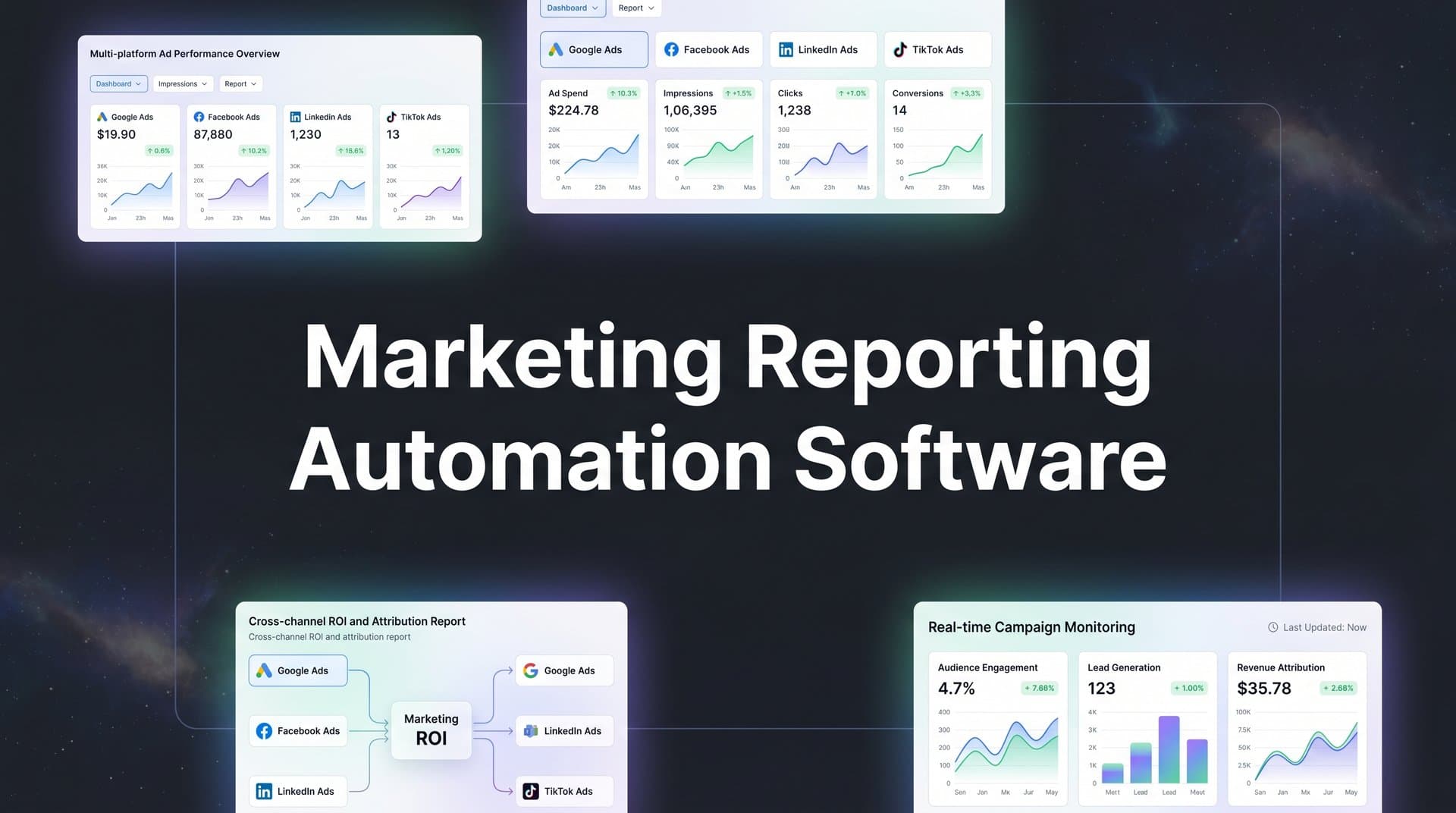
Marketing reporting still eats more time than it should. If you've recently spent a Friday afternoon copy-pasting numbers from Google Ads, Meta, LinkedIn, and your CRM into a spreadsheet just to build a performance report, you already know the problem. Manual reporting is slow, error-prone, and pulls your attention away from the work that actually moves the needle.
The bigger issue is that fragmented data across platforms makes it genuinely difficult to understand true performance in 2026. Each ad platform tells its own version of the story, stakeholders want clear answers, and you're left playing data referee instead of making strategic decisions. Privacy changes have only made this harder—iOS restrictions and cookie deprecation mean the numbers platforms report are increasingly unreliable at the source. Marketing reporting automation software exists to solve exactly this.
The tools below were selected based on automation capabilities, cross-platform data integration, customization options, ease of use, and pricing. Whether you're a solo marketer, an agency managing dozens of clients, or an enterprise team running complex attribution models, there's a solution here for you. And if you're thinking about how attribution accuracy fits into your broader marketing analytics strategy, that context matters for choosing the right tool.
1. Cometly
Best for: Marketers who need automated reporting built on accurate, AI-powered attribution data
Cometly is an AI-powered marketing attribution and analytics platform that tracks every touchpoint from ad click to CRM event, giving you automated reporting grounded in accurate conversion data rather than platform-reported estimates.
 9 Best Marketing Reporting Automation Software Tools in 2026
Where This Tool Shines
Most reporting tools take the data that ad platforms give them and visualize it. The problem is that platform-reported data is increasingly unreliable due to iOS privacy changes and cookie deprecation. Cometly takes a different approach: it uses server-side tracking to capture conversion data independently, then builds reports on top of that more accurate foundation.
This means when you look at your Cometly dashboard, you're not just seeing a prettier version of what Meta or Google already told you. You're seeing attribution data that reflects what actually happened across the customer journey, with AI layered on top to surface optimization opportunities and answer questions in plain language.
Key Features
AI-Powered Multi-Touch Attribution: Tracks every touchpoint across all ad platforms and maps the full customer journey from first click to conversion.
Server-Side Tracking: Captures conversion data server-to-server, bypassing browser-level limitations caused by iOS changes and cookie restrictions for more accurate reporting.
Conversion Sync: Feeds enriched, server-side conversion events back to Meta, Google, and other ad platforms to improve their targeting algorithms and ad delivery.
AI Ads Manager: Provides automated optimization recommendations based on real attribution data, helping you scale what works and cut what doesn't.
AI Chat for Reporting: Lets you query your marketing data in natural language, so you can ask questions like "which campaign drove the most revenue last month" without building a custom report.
Best For
Cometly is best suited for performance marketers, growth teams, and agencies that run paid campaigns across multiple platforms and need reporting they can actually trust. If your current reports are built on ad platform data that may be undercounting conversions, Cometly addresses the root problem rather than just presenting the same inaccurate numbers in a nicer format.
Pricing
Custom pricing based on ad spend and features. A demo is available on request directly through the Cometly website.
2. AgencyAnalytics
Best for: Marketing agencies needing white-label client reporting with broad platform coverage
AgencyAnalytics is an all-in-one client reporting platform built specifically for marketing agencies, offering white-label dashboards and automated report scheduling across 80+ integrations.
 9 Best Marketing Reporting Automation Software Tools in 2026
Where This Tool Shines
AgencyAnalytics is designed around the agency workflow. You can set up client campaigns, connect their platforms, and have automated reports going out on a schedule without touching the process each month. The white-label functionality means clients see your brand, not AgencyAnalytics.
The breadth of integrations is a genuine strength here. SEO, PPC, social media, email marketing, and call tracking all live under one roof, which matters when your clients have diverse channel mixes and expect consolidated reporting.
Key Features
80+ Native Integrations: Covers SEO, PPC, social media, email, and call tracking platforms in a single connected environment.
White-Label Dashboards: Full custom branding on dashboards and reports so client-facing materials match your agency's identity.
Automated Report Scheduling: Set reports to generate and deliver to clients automatically on daily, weekly, or monthly schedules.
SEO Tools: Built-in rank tracking and site auditing tools add value beyond basic reporting for SEO-focused agencies.
Staff and Client Permissions: Granular access controls let you manage what team members and clients can see and edit.
Best For
Digital marketing agencies of all sizes, particularly those managing multiple client accounts across SEO, paid search, and social. The per-campaign pricing model scales naturally as your client roster grows.
Pricing
Starts at around $12 per month per client campaign. Pricing scales based on the number of campaigns managed.
3. Whatagraph
Best for: Teams that prioritize visually polished, shareable cross-channel marketing reports
Whatagraph is a cross-channel marketing reporting platform that blends data from multiple sources into visual, automated reports and dashboards designed for sharing with teams and stakeholders.
 9 Best Marketing Reporting Automation Software Tools in 2026
Where This Tool Shines
Whatagraph puts a strong emphasis on report aesthetics and ease of sharing. If you regularly present results to clients or executives who respond better to clean visuals than raw data tables, Whatagraph's polished templates and drag-and-drop builder make that easy to deliver consistently.
The data blending capability is particularly useful for teams that want to combine metrics from different platforms into unified views. You can create calculated fields and custom KPIs that reflect how your team actually measures success, rather than being locked into platform-default metrics.
Key Features
Cross-Channel Data Blending: Pulls from 45+ marketing sources and combines them into unified, multi-channel views within a single report.
Drag-and-Drop Report Builder: Visual editor with polished pre-built templates makes it straightforward to create professional-looking reports quickly.
Automated Report Scheduling: Reports can be sent automatically via email or shared through a live link that updates with fresh data.
Custom Metrics and Calculated Fields: Build your own KPIs by combining or transforming raw metrics from connected sources.
BigQuery Data Transfer: Export marketing data to Google BigQuery for teams that need more advanced analysis beyond the dashboard.
Best For
Marketing teams and agencies that frequently share performance reports with non-technical stakeholders and want those reports to look professional without spending hours on formatting. Well suited for mid-sized teams managing multiple channels.
Pricing
Starts at around $199 per month for teams. Higher tiers unlock additional sources, users, and features.
4. Supermetrics
Best for: Data-savvy marketers who want to pipe marketing data into spreadsheets or BI tools for custom analysis
Supermetrics is a marketing data pipeline tool that automatically pulls data from ad platforms, social media, SEO tools, and more into spreadsheets, BI tools, or data warehouses for custom reporting.
 9 Best Marketing Reporting Automation Software Tools in 2026
Where This Tool Shines
Supermetrics doesn't build reports for you. Instead, it solves the data collection problem: getting clean, fresh marketing data into whatever tool you already use for analysis. If your team lives in Google Sheets or has a Looker Studio setup you love, Supermetrics removes the manual export step entirely.
The connector library is one of the broadest in the market, and the ability to schedule automatic data refreshes means your spreadsheets or dashboards stay current without anyone touching them. For teams with existing reporting infrastructure, this is often the most efficient path to automation.
Key Features
100+ Marketing Data Source Connectors: Covers ad platforms, social media, SEO tools, CRMs, and analytics platforms with pre-built connectors.
Flexible Destinations: Sends data to Google Sheets, Excel, Looker Studio, BigQuery, Snowflake, and other popular destinations.
Automated Data Refresh: Schedules data pulls on custom intervals so reports always reflect current performance without manual exports.
Query Builder: Lets you select specific metrics, dimensions, and date ranges to pull exactly the data you need rather than everything at once.
Data Transformation and Blending: Basic transformation capabilities allow you to clean and combine data before it lands in your destination tool.
Best For
Analysts, data-savvy marketers, and teams that already have a preferred reporting or BI environment and simply need reliable, automated data feeds flowing into it. Less ideal for users who want a ready-made dashboard without technical setup.
Pricing
Starts at around $39 per month per destination. Total cost varies based on the number of connectors and data volume required.
5. DashThis
Best for: Marketers who want fast dashboard setup with minimal configuration
DashThis is a straightforward marketing dashboard tool built for quick setup, with pre-built templates, unlimited dashboards on most plans, and automated report delivery.
 9 Best Automated Marketing Reporting Software Tools in 2026
Where This Tool Shines
DashThis earns its reputation for simplicity. You can connect your platforms, pick a template, and have a working dashboard in under an hour without any technical knowledge. For marketers who need functional reporting fast and don't want to spend days configuring a complex tool, that speed-to-value is a real advantage.
The unlimited dashboard model on most plans is also worth noting. If you manage multiple clients or campaigns, you're not constantly doing math on how many dashboards you can afford to create.
Key Features
Pre-Built Report Templates: Ready-to-use templates for PPC, SEO, social media, email, and other common reporting needs to accelerate setup.
Unlimited Dashboards: Most pricing plans include unlimited dashboards, making it cost-effective for teams managing many campaigns or clients.
34+ Native Integrations Plus CSV Upload: Covers major marketing platforms and allows manual data upload via CSV for sources without a native connector.
Automated Email Dispatch: Sends reports to stakeholders automatically on a set schedule, plus generates shareable URLs for live dashboard access.
White-Label Options: Agencies can apply custom branding to dashboards for a professional client-facing experience.
Best For
Freelance marketers, small agencies, and in-house teams that want clean, automated dashboards without a steep learning curve or heavy configuration. Best for standard channel reporting rather than complex multi-touch attribution needs.
Pricing
Starts at around $49 per month for 3 dashboards. Higher tiers unlock more dashboards and additional features.
6. Looker Studio
Best for: Teams that want free, highly customizable dashboards connected to Google's ecosystem
Looker Studio is Google's free data visualization and reporting tool that connects to Google products and third-party sources through community connectors for fully customizable marketing dashboards.
 9 Best Client Reporting Dashboard Software Tools in 2026
Where This Tool Shines
The price is hard to argue with. Looker Studio is completely free, and if your marketing stack is heavily Google-centric (Google Ads, GA4, Search Console, BigQuery), the native connections are seamless and require no additional cost. For teams with the time to build custom reports, the flexibility is exceptional.
The collaborative editing model, shared through Google Workspace, also makes it easy for multiple team members to contribute to a single report. The tradeoff is that Looker Studio rewards those willing to invest time in setup. It's not a plug-and-play solution.
Key Features
Completely Free: No cost to use with no limits on the number of reports or dashboards you can create.
Native Google Integrations: Direct, no-cost connections to Google Ads, GA4, Search Console, BigQuery, and Google Sheets.
Highly Customizable Layouts: Drag-and-drop chart and table builder with extensive formatting options for tailored report design.
Community Connectors: Hundreds of third-party connectors available for non-Google platforms, though most come with their own subscription fees.
Collaborative Editing: Multiple users can edit reports simultaneously, with sharing handled through standard Google Workspace permissions.
Best For
Teams with strong Google platform usage, a willingness to invest time in building custom reports, and a preference for keeping tool costs low. Also a strong choice as a reporting destination when paired with a data pipeline tool like Supermetrics or Funnel.io.
Pricing
Free to use. Third-party community connectors typically cost between $10 and $50 or more per month each, depending on the provider.
7. Funnel.io
Best for: Enterprise teams that need a centralized marketing data hub before sending data to any BI or visualization tool
Funnel.io is an enterprise marketing data hub that automatically collects, maps, and transforms data from 500+ sources before routing it to any BI tool, data warehouse, or dashboard for reporting.
Where This Tool Shines
Funnel.io operates at a layer below most reporting tools. Rather than being a dashboard itself, it's the infrastructure that makes dashboards accurate. It handles the messy work of collecting data from hundreds of sources, normalizing it (including currency conversion and cost standardization), and sending clean, structured data wherever you need it.
For enterprise marketing teams managing large budgets across many channels and regions, this kind of data governance and standardization is often the difference between reporting that stakeholders trust and reporting that generates more questions than answers.
Key Features
500+ Data Connectors: One of the broadest connector libraries available, covering ads, analytics, CRM, affiliate, and retail media platforms.
Automated Data Mapping and Transformation: Standardizes field names, cost formats, and metrics across sources so your data is consistent regardless of where it originated.
Flexible Export Destinations: Sends clean data to Looker Studio, Power BI, Tableau, BigQuery, Snowflake, and other popular tools.
Data Governance and Audit Trail: Tracks data lineage and changes, which matters for teams that need to explain how numbers were calculated.
Automatic Currency Conversion and Cost Normalization: Handles multi-currency campaigns automatically, reducing manual cleanup work for global teams.
Best For
Enterprise marketing teams and large agencies with complex, multi-channel data environments that need reliable data infrastructure before they can build trustworthy reports. Not designed for small teams or those looking for a ready-made dashboard experience.
Pricing
Custom pricing. Plans typically start in the mid-hundreds per month for enterprise configurations. Contact Funnel.io directly for a quote.
8. TapClicks
Best for: Large agencies and media companies needing reporting combined with campaign operations management
TapClicks is an enterprise reporting and operations platform that combines automated marketing reporting with workflow management, order entry, and performance benchmarking for large agencies and media companies.
Where This Tool Shines
TapClicks goes beyond reporting into operational territory. It's built for organizations where campaign management, order entry, and performance reporting all need to live in a connected system. If your agency handles high volumes of campaigns with complex fulfillment workflows, having reporting and operations in one platform reduces the coordination overhead significantly.
The benchmarking capability is also a differentiator. Being able to compare performance across clients and against industry data adds context to results that standalone reporting tools typically can't provide.
Key Features
Unified Reporting Across 250+ Sources: Pulls data from a broad range of ad platforms, analytics tools, and marketing channels into a single reporting environment.
Workflow and Order Management: Includes campaign operations tools for managing orders, tasks, and fulfillment alongside performance data.
Automated Report Generation at Scale: Handles high-volume report scheduling and delivery suitable for agencies managing large client portfolios.
Performance Benchmarking: Compares results across clients and against industry benchmarks to add context to performance data.
White-Label Client Portal: Branded client-facing dashboards for professional, self-service reporting access.
Best For
Large marketing agencies, media companies, and enterprise teams where reporting is just one piece of a larger operational workflow. The platform's complexity and pricing make it better suited to organizations with significant scale rather than small or mid-sized teams.
Pricing
Custom enterprise pricing. Contact TapClicks sales directly for a quote based on your organization's specific needs.
9. Databox
Best for: Marketing teams that want real-time KPI monitoring with performance alerts and industry benchmarking
Databox is a real-time KPI dashboard platform with automated goal tracking, performance alerts, and anonymous benchmark data to help marketing teams monitor and communicate results.
Where This Tool Shines
Databox is built around the idea that marketing teams should be monitoring performance continuously, not just at the end of the month when a report gets sent. The mobile-first design, real-time data updates, and automated alerts mean you can catch performance drops or budget pacing issues before they become problems.
The Benchmark Groups feature is genuinely useful: it lets you compare your metrics against anonymized data from other companies using Databox, giving you a realistic sense of whether your performance is strong or lagging relative to peers in similar industries.
Key Features
Mobile-First Real-Time Dashboards: Dashboards are designed for mobile access with data that refreshes in real time, not just on a daily schedule.
Automated Goal Tracking and Alerts: Set targets for key metrics and receive automated notifications when performance trends toward or away from goals.
Benchmark Groups: Compare your metrics against anonymized data from other Databox users in similar industries for meaningful context.
70+ Native Integrations: Includes HubSpot, Google Analytics, Google Ads, Facebook Ads, and other widely used marketing platforms.
Automated Performance Snapshots: Scheduled summaries delivered via email or Slack keep teams informed without requiring anyone to log in and check manually.
Best For
In-house marketing teams and growth-focused businesses that want continuous performance visibility rather than periodic reporting. The free plan makes it accessible for smaller teams, while paid tiers add depth for more complex needs.
Pricing
A free plan is available with limited features. Paid plans start at around $59 per month, with higher tiers unlocking more integrations, users, and data history.
Which Tool Is Right for Your Situation
The right marketing reporting automation tool depends on what problem you're actually trying to solve. Here's a quick way to think through the decision.
For teams looking to go further, AI-driven marketing strategies show how smart automation reshapes campaign performance across the full customer journey.
For attribution accuracy: Cometly stands apart because it doesn't just reformat what ad platforms report. It builds reporting on server-side tracked, AI-powered attribution data that accounts for the real customer journey. If your current reporting relies on platform-reported conversions that may be undercounting due to iOS changes or cookie issues, this is where to start. Explore how multi-touch attribution can change how you understand your marketing performance.
For agencies: AgencyAnalytics is the most purpose-built option for client reporting workflows, with white-labeling, per-campaign pricing, and the breadth of integrations agencies typically need. Whatagraph and DashThis are strong alternatives depending on whether visual polish or setup speed is the higher priority.
For the best free option: Looker Studio is the clear answer, especially if your stack is Google-heavy. Just be prepared to invest time in building and maintaining your reports.
For data pipelines: Supermetrics is the go-to for teams that want to feed data into existing spreadsheets or BI tools. Funnel.io is the enterprise-grade option when you need data governance, normalization across hundreds of sources, and a more robust infrastructure layer.
For enterprise operations: TapClicks is built for organizations where reporting connects to campaign management and order workflows at scale.
For real-time monitoring: Databox is the strongest option for teams that want continuous KPI visibility, goal tracking, and automated alerts rather than periodic reports.
The tools that visualize data are only as good as the data feeding them. If you're running paid campaigns across multiple platforms and you're not confident that your conversion data is accurate, the most important investment you can make is in the tracking layer itself.
That's exactly what Cometly is built to solve. From server-side tracking that captures what browsers miss, to AI-powered attribution that maps every touchpoint, to Conversion Sync that feeds better data back to Meta and Google, Cometly gives you reporting you can actually act on. Get your free demo and see what your marketing data looks like when it's built on an accurate foundation.