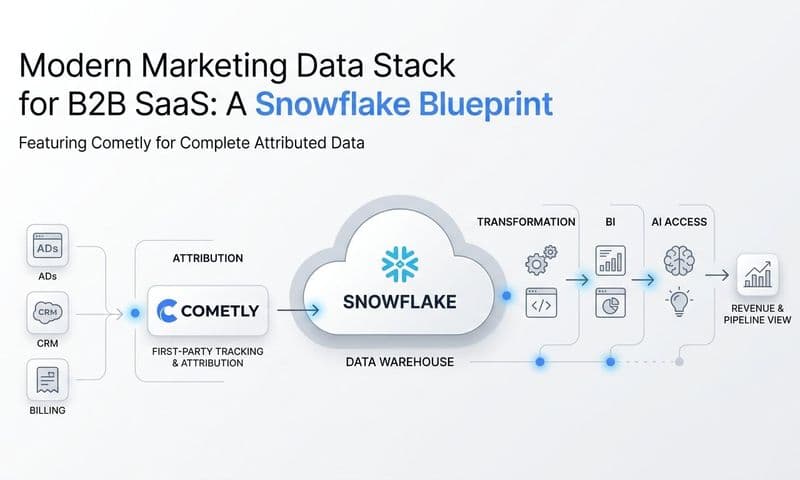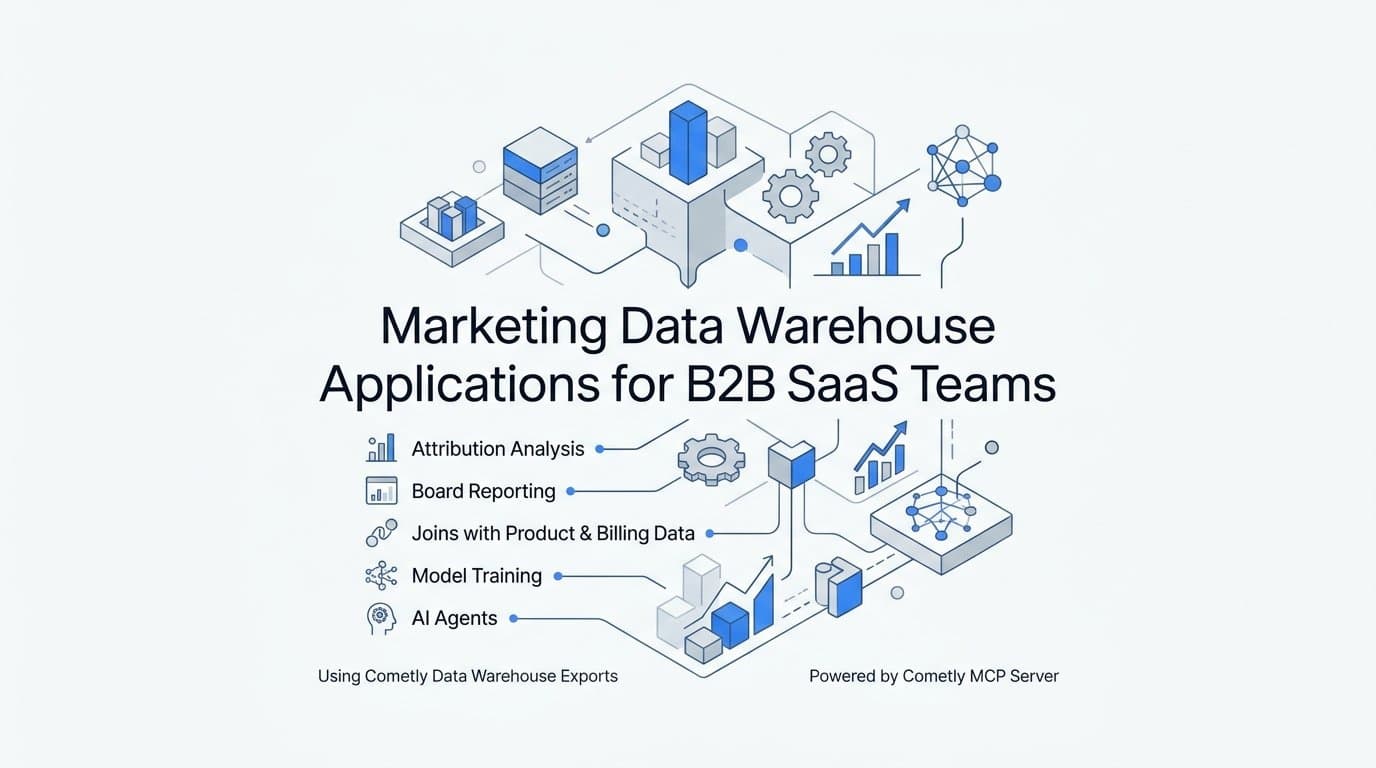
A marketing data warehouse is a store you own, filled with raw ad, CRM, and revenue data, that lets you answer questions no ad platform or prebuilt dashboard can. For B2B SaaS teams, the value is not the storage. It is what you do with the data once it sits next to your product and billing tables. The most useful marketing data warehouse applications are attribution analysis, internal and board reporting, joins with product and billing data, model training, and AI agents. This article walks through each one, using Cometly Data Warehouse Exports and the Cometly MCP server as working examples.
What a Marketing Data Warehouse Holds and Why Dashboards Fall Short
A marketing data warehouse is a customer-owned store of raw marketing data, including ad spend, touchpoints, contacts, companies, and conversions, that you query with SQL. It sits apart from any single ad platform's reporting, so the definitions, joins, and history are yours to control.
Platform dashboards have three structural limits:
- Each channel grades its own homework. Meta, Google, and LinkedIn each claim credit using their own attribution windows and rules, and the totals rarely add up.
- Definitions differ. A "conversion" or "lead" in one platform is not the same event in another, so side-by-side comparisons mislead.
- Revenue is invisible. Ad platforms cannot see which opportunities closed-won in your CRM, so they optimize toward leads, not revenue.
A common misconception is that a warehouse replaces attribution software. It does not. A warehouse stores and extends attribution data, but it does not collect touchpoints, resolve identities, or model credit on its own. Something upstream has to do that work. Cometly handles collection and attribution; the warehouse is where you take the output further. If you are still weighing the fundamentals, this explainer on what a marketing data warehouse is and why you need one for attribution covers the basics.
What Cometly exports
Cometly Data Warehouse Exports send raw marketing data as Parquet files, a columnar file format built for analytics, using Hive-style partitioning, which organizes files into folders by field values such as date so query engines can skip data they do not need. Files land in your own Amazon S3 or Google Cloud Storage bucket, or load directly into Snowflake or BigQuery. As of October 2026, the available datasets are ad analytics (a separate dataset per ad channel), contacts, companies, raw touchpoints, and attributed conversions. Verify current options in the Cometly docs.
Application 1: Multi-Touch and Pipeline Attribution Analysis
B2B SaaS buying cycles run for weeks or months and involve several stakeholders, each of whom may click different ads, attend different webinars, and return through different channels. A last-click report collapses all of that into one line. Touchpoint-level data lets you see the sequence, not just the final step.
Multi-touch attribution spreads credit for a conversion across the touchpoints that preceded it. Pipeline attribution applies the same logic to opportunities and revenue rather than form fills. With the raw touchpoints and attributed conversions datasets in your warehouse, you can write custom queries on top of both, such as comparing first touch, linear, and data-driven views by campaign to see which campaigns look strong under one model and weak under another. For broader context on this kind of work, see this guide to marketing data attribution.
A sample question worth asking
Suppose you want to know which channels sourced the opportunities that became closed-won, versus those that only produced leads. The approach looks like this:
- Pull attributed conversions and filter to the opportunity stage you care about.
- Join to contacts and companies to link each conversion to an account.
- Join to your CRM outcome field, so each account is labeled closed-won, open, or closed-lost.
- Group by channel and campaign, and compare lead volume against closed-won count.
The result often shows a channel that floods the funnel with leads but rarely contributes to revenue, next to a smaller channel that quietly sources the deals that close. That is a budget decision a platform dashboard cannot surface.
Watch the time zones
Ad analytics datasets are split per ad channel, with one row per ad-hierarchy entity per day, using the channel's local date. If your Meta account reports in one time zone and your Google account in another, a "day" does not mean the same 24 hours in both. When you join daily spend to conversions timestamped in UTC or your CRM's time zone, convert to a common zone first. Otherwise daily cost-per-opportunity figures will drift, especially around the start and end of the month.
Application 2: Internal and Board Reporting in Your BI Tool
The reporting job is to produce one agreed set of numbers for CAC, pipeline by source, and spend efficiency that marketing, finance, and leadership all trust. Without a shared source, each team builds its own spreadsheet and the board meeting becomes an argument about whose number is right. The idea of a single source of truth for marketing data is what a warehouse makes practical.
How the data reaches your BI layer
Files in S3 or GCS, or tables in Snowflake and BigQuery, plug into the tools your analysts already use. As of October 2026, Cometly's docs list compatibility with Snowflake, BigQuery, Databricks, Athena, and DuckDB. Any BI tool that connects to one of those engines can read the exports. DuckDB is a handy option for an analyst who wants to query Parquet files locally without standing up infrastructure.
Plan one export per dataset
Each export holds a single dataset and has its own cadence and data window. That means you set up several exports rather than one. A typical plan:
- One export per ad channel for ad analytics (Meta, Google, LinkedIn, and so on).
- One for contacts.
- One for companies.
- One for raw touchpoints.
- One for attributed conversions.
Because cadence and window are set per export, you can refresh ad spend daily while refreshing company records less often. Check the docs for the cadence and window options currently available.
A reporting checklist
Warehouse data does not fix inconsistent reporting by itself. Discipline does:
- Lock metric definitions. Write down what counts as a lead, an opportunity, and CAC, including whether CAC includes salaries and tooling.
- Document the attribution model. State whether a slide uses first touch, linear, or data-driven credit, because the same campaign can rank very differently across models.
- Label data freshness. Put "data as of" on every board slide, especially when the last export ran before the final days of a quarter.
- Keep one owner. Assign a person responsible for changes to the underlying queries.
Application 3: Joining Attribution With Product and Billing Data
Attribution tells you where an account came from. Product and billing data tell you what the account did next. Joining them answers the question that matters most for SaaS: which marketing spend produces customers who stay and grow.
The join works by matching attributed conversions and contacts to product usage events and billing records through shared keys, such as contact or company identifiers, or email domains where identifiers are not available. Cometly already integrates Stripe revenue with ad data. The warehouse extends that to product tables your team already owns, such as activation events, seat counts, feature usage, and renewals. This is a practical way to achieve sales and marketing data alignment across the whole customer lifecycle.
Questions this unlocks
- Which campaigns bring accounts that activate within their first 14 days, and which bring sign-ups that never log in again?
- Which campaigns bring accounts that expand, and which bring accounts that churn at the first renewal?
- Which ad channels produce the highest revenue per account, rather than the lowest cost per lead?
The last question often reorders channel rankings. A channel with an expensive lead can still win once you divide spend by revenue retained instead of leads generated.
Validate the match before trusting the result
Identity matching quality sets the ceiling on join quality. If a third of your product users cannot be matched to a contact, any campaign-level conclusion is built on a biased sample, because unmatched users are rarely random. Before you act on results, measure the match rate between attributed contacts and product accounts, check it by channel, and spot-check a sample of matches by hand. If match rates differ sharply across channels, treat comparisons between them with caution.
Application 4: Training Models and Improving Ad Optimization
Once attribution, contact, and outcome data sit in one place, data science work becomes practical. Three common uses:
- Lead scoring. Predict which new contacts resemble past closed-won accounts.
- Pipeline forecasting. Estimate future pipeline from current touchpoint activity and historical conversion rates.
- Budget allocation. Use channel-level spend and outcome history as inputs to media mix modeling or simpler response curves.
If you are deciding which fields to retain for this work, this piece on what attribution data to store in your warehouse to train AI models goes deeper.
Label quality decides everything
A lead scoring model trained on form fills learns to find people who fill out forms. A model trained on closed-won outcomes learns to find buyers. The second is harder, because closed-won events are rarer and arrive months later, but it is the one that reflects revenue. The same logic applies to ad platforms. When you send enriched, conversion-ready events back to Meta and Google through Conversion API, including down-funnel outcomes such as qualified opportunities or closed-won deals, their optimization has a better signal than a raw lead count.
Why clean events matter: deduplication
Event deduplication is how an ad platform recognizes that a browser event and a server event describe the same conversion, so it counts once. It typically relies on a shared event identifier sent with both. If identifiers are inconsistent or missing, the platform may double count, which inflates conversions and corrupts both reporting and any model trained on the result. Consistent event naming and identifiers in your warehouse make these problems visible. Persistent marketing data discrepancies between platforms are often a symptom of exactly this issue.
Keep expectations practical. Models are only as good as their labels and the length of history behind them. A team with a few dozen closed-won deals will not train a reliable scoring model, and a simple ranked table of conversion rate by source may serve better until the data grows.
Application 5: Powering AI Agents With the Cometly MCP Server
MCP, the Model Context Protocol, is a standard way for AI clients to call tools on a data source. Instead of exporting a CSV and pasting it into a chat window, the AI client asks the source directly and gets structured answers back.
The Cometly MCP server lets AI clients query Cometly data in natural language. As of October 2026, the endpoint format is https://app.cometly.com/mcp/{space_id}/public-api, where you substitute your own Cometly Space ID. Authentication uses OAuth, and the server works with Claude Desktop, Claude Code, Cursor, and ChatGPT Desktop.
What the server offers
The server exposes about 50 tools, all read-only, grouped into toolsets that include:
- Ad analytics
- Events
- Contacts
- Companies
- Reports
- Segments
- Integrations
- Diagnostics
The server cannot create, modify, or delete records. That matters for anyone worried about agents making unwanted changes: the AI can read and analyze your attribution data, but it cannot edit it.
Example prompts
Once connected, you ask questions in plain language, such as:
- "Which Meta campaigns drove the most pipeline last quarter?"
- "Compare touchpoints for closed-won companies in the last 90 days."
- "Which integrations are disconnected or failing right now?"
The agent picks the relevant tools, retrieves the data, and summarizes it. A developer in Cursor or Claude Code can also pull attribution data into analysis scripts without leaving the editor. Check any numbers an agent reports against a known figure the first few times, as you would with a new analyst.
Prerequisite and setup
You need a Cometly Space with the Use Public API permission. Setup steps for each client are in the Cometly docs, and the exact endpoint, toolset names, and tool count may change, so confirm them there.
MCP Server or Warehouse Export: Choosing the Right Path
The two paths solve different problems, and the choice comes down to the kind of question you are asking.
- Use the MCP server for fast, conversational questions on current attribution data, such as a quick check on campaign performance before a meeting.
- Use warehouse exports for heavy SQL, long history, joins with internal data, and BI dashboards that need to be consistent week after week.
Many teams use both. Agents handle ad hoc exploration, where speed matters and the question may change three times in ten minutes. The warehouse is the governed source for recurring reports, where definitions are locked and numbers must match from one month to the next. A useful habit is to let an agent surface a pattern, then rebuild the finding as a warehouse query before it goes into a board deck. If you are comparing tooling for the warehouse side, this overview of marketing data warehouse solutions is a useful reference.
A simple starting sequence
- Export ad analytics for your main channels and attributed conversions.
- Add contacts and companies.
- Join product and billing tables, after checking match rates.
- Add raw touchpoints if you need path-level analysis or model training.
Starting narrow keeps the first deliverable small enough to finish. For export destinations, cadence options, and setup details, see docs.cometly.com.
Pick One Application and Ship It This Month
A marketing data warehouse earns its place through what it powers, not through how much data it holds. Reporting and AI agents are the two easiest places to start: one gives your leadership a single set of numbers, and the other lets anyone on the team question attribution data in plain language. Choose one, set it up with the Cometly docs, and expand from there.
Ready to elevate your marketing game with precision and confidence? Discover how Cometly's AI-driven recommendations can transform your ad strategy. Get your free demo today and start capturing every touchpoint to maximize your conversions.